Server-Side Errors
How to find and fix Railway deploy logs, API route errors, and 500 responses.
What Are Server-Side Errors?
Server-side errors happen on the server (Railway), not in your browser. You might see:
- A "500 Internal Server Error" message in the browser
- An API request that returns an error
- A deploy that fails on Railway
The browser cannot tell you the details — you need to check the server logs.
How to Check Railway Logs
Step 1: Find the Logs
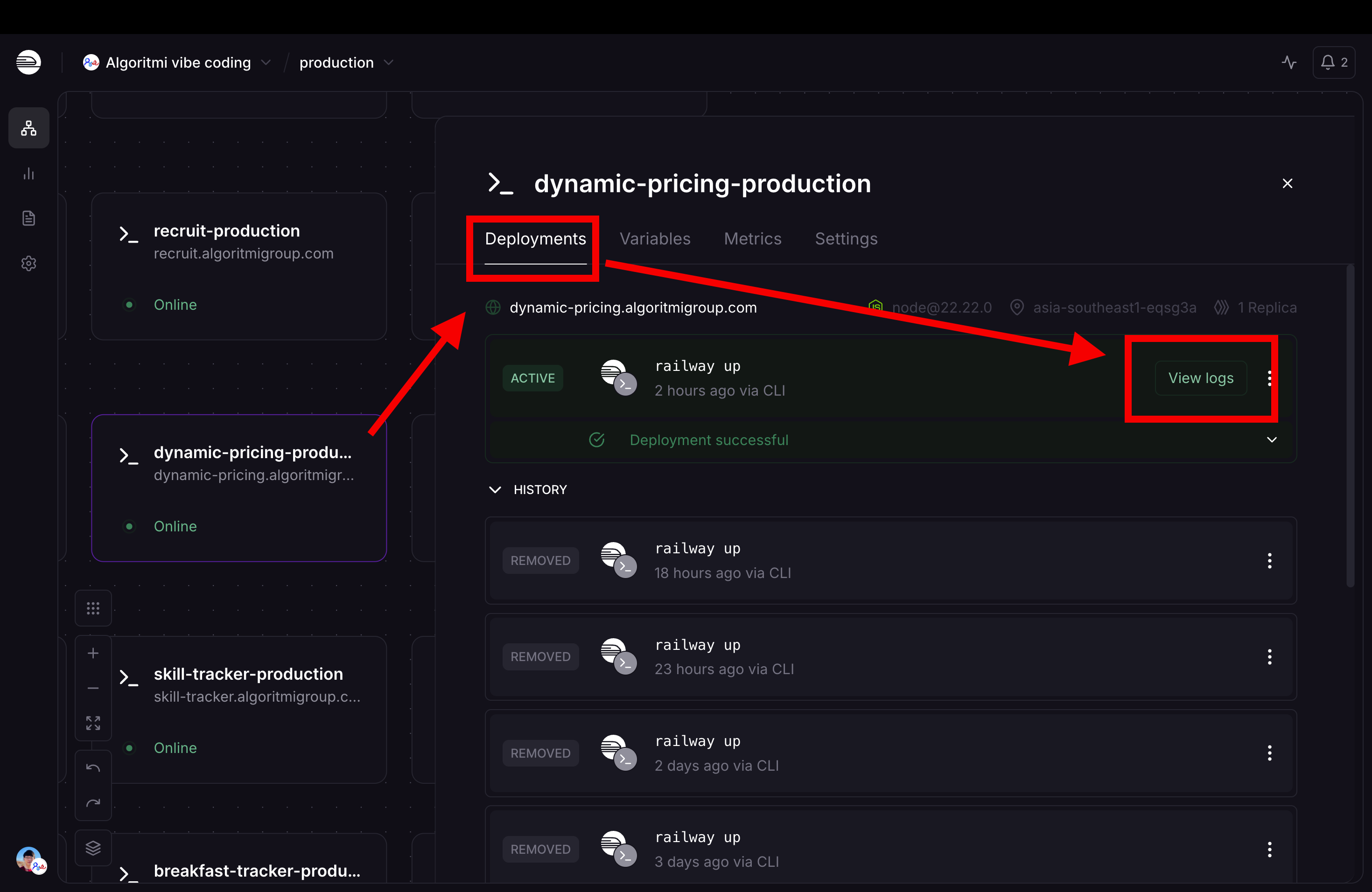
Go to the Railway dashboard, select your service, click the Deployments tab, and click View logs on the active deployment.
Step 2: Find the Error
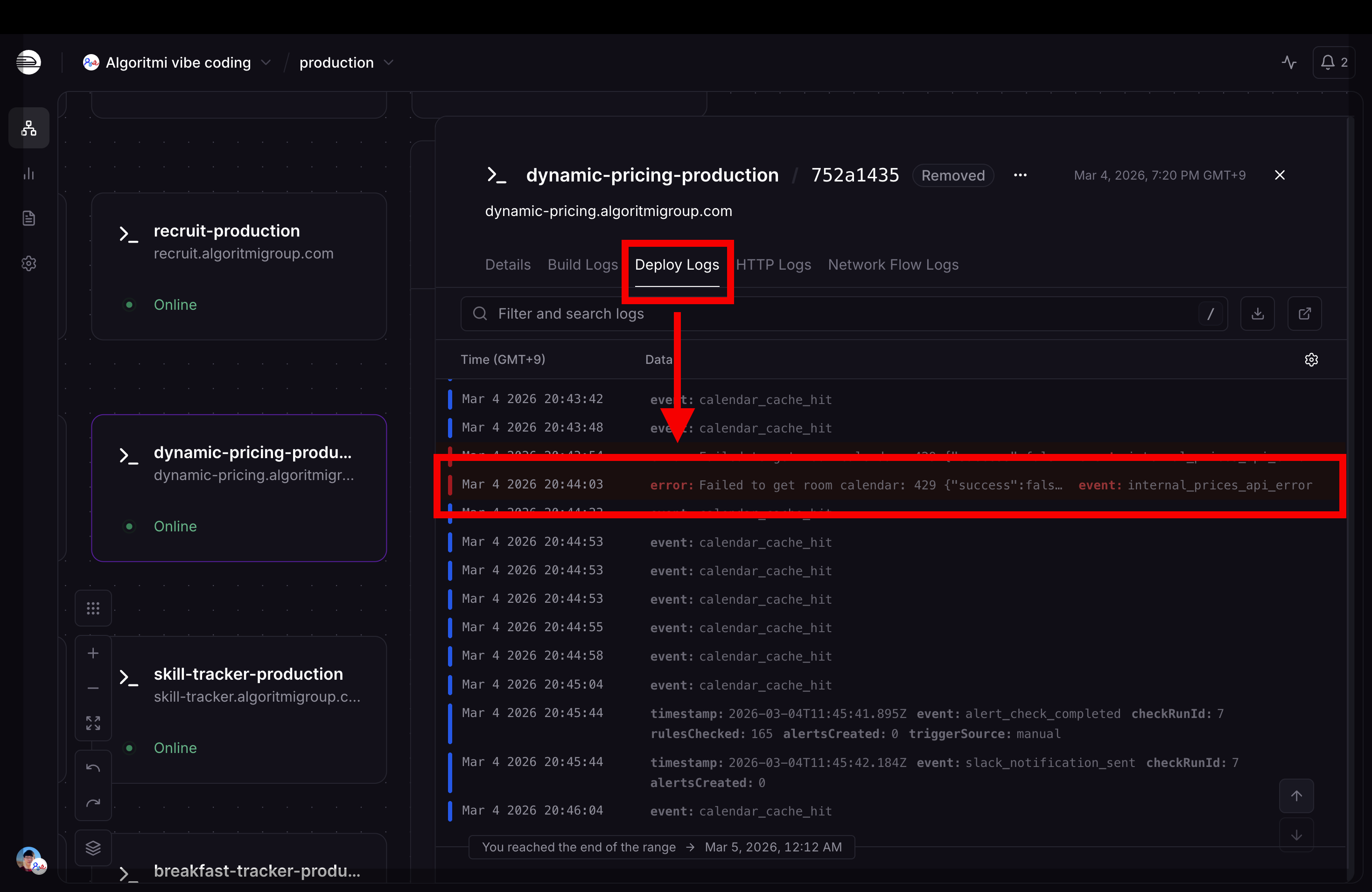
In the Deploy Logs tab, look for red lines — these are errors. Normal log lines are white/gray.
Step 3: Copy the Error Message
Click on the red error line to expand its details. You will see the full error message in the Name/Value attributes. Copy this text and give it to Claude.
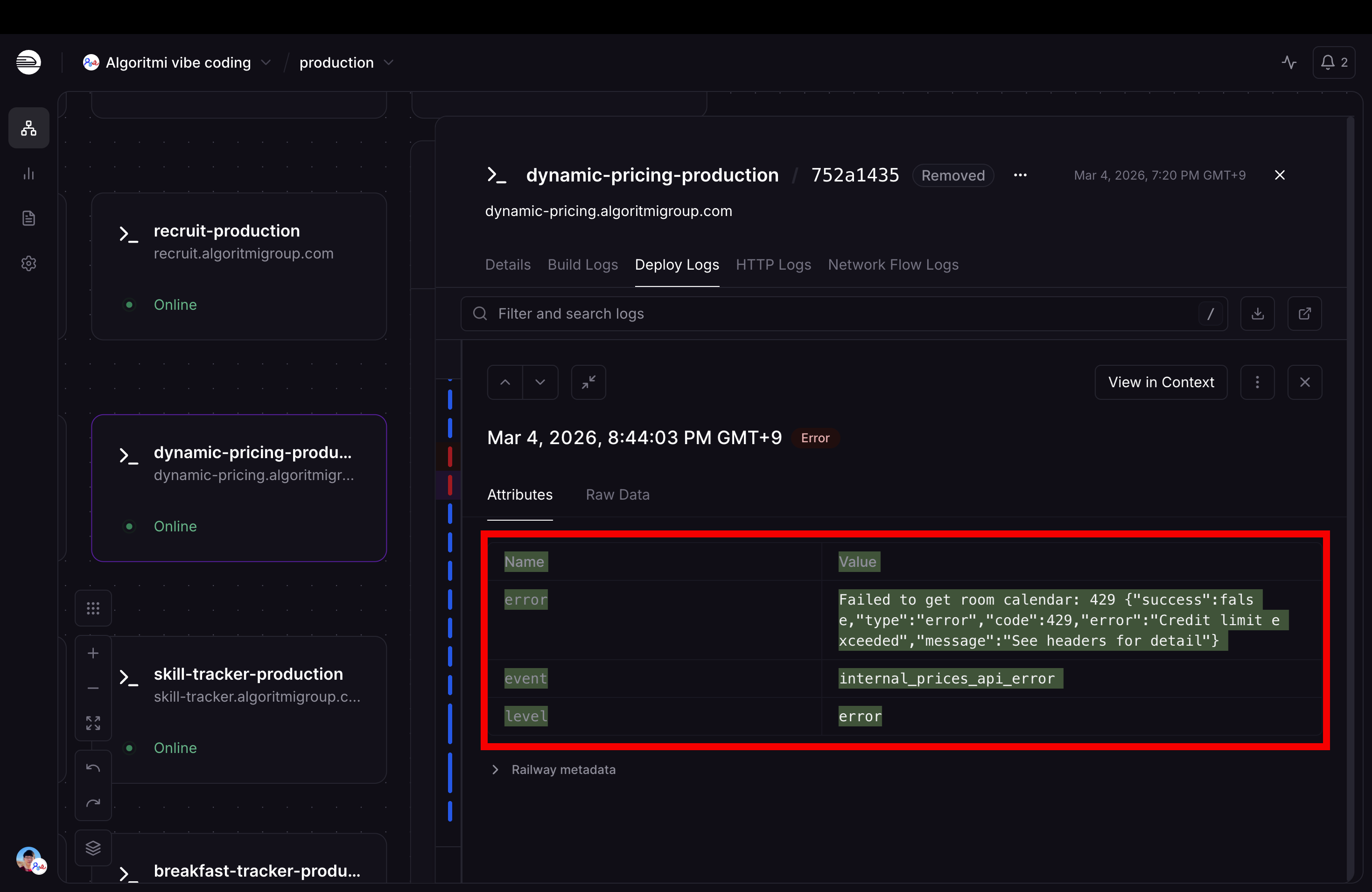
Server logs show everything the app prints while running, including error messages with file names and line numbers.
Understanding 500 Errors
When the browser shows "500 Internal Server Error", it means something crashed on the server. The browser only knows something went wrong — the details are in Railway logs.
API Route Errors
Next.js API routes (app/api/...) run on the server. Common issues:
| Problem | Likely Cause |
|---|---|
| 500 error on API call | Bug in the API route code (check Railway logs) |
| 404 on API call | Wrong URL path or missing API file |
| Empty response | Database query returned no data |
| Timeout | Query too slow or infinite loop |
Testing API Routes on Preview
Apps aren't run locally — test API routes on the PR preview URL. Open a PR; the preview URL is posted as a PR comment. Then:
# Replace with your preview URL from the PR comment
curl https://your-app-pr-123.up.railway.app/api/your-routeThe preview environment has an isolated Neon database branch, so database-backed routes work end-to-end there.
Common Server Error Causes
- Missing environment variables — a variable required by the app is not set in Railway
- Database query errors — wrong table name, wrong column, SQL syntax error
- Import errors — importing a file or package that does not exist
- Type errors at runtime — passing wrong data types to functions
Checking Preview Deploy Logs
When your PR preview deployment is not working:
Quiz
Where do you find the details of a 500 Internal Server Error?